
Download Ashampoo Anti-Virus – Anti-Virus, Malware Protection, Security Tool, PC Protection, Online Threats
Overview
Ashampoo Anti-Virus is a dedicated security solution designed to safeguard personal computers against a broad spectrum of digital threats, including malware, spyware, ransomware, and other malicious software. Its primary purpose is to provide continuous, real-time protection without compromising system performance, making it particularly suitable for users who demand both security and efficiency. The application targets individuals and professionals who rely on their PCs for daily tasks, from remote work and online banking to multimedia consumption and gaming.
Developed by Ashampoo, a company known for its user-focused software suite, the app emphasizes lightweight operation and seamless integration into everyday workflows. It addresses the common frustration of antivirus programs that slow down systems during scans or generate excessive alerts. By maintaining background operation with minimal interference, Ashampoo Anti-Virus enables users to focus on their tasks while remaining protected.
Real-world use cases include securing sensitive documents, protecting financial data during online transactions, and ensuring a stable environment for high-performance applications like video editing and gaming. In the broader app ecosystem, Ashampoo Anti-Virus fills a niche for users seeking a reliable, non-intrusive security tool that balances protection with usability. The developer did not provide additional technical details about the underlying architecture or threat intelligence sources.
Key Features & Functionality
- Automated Malware Detection: The software continuously monitors system activity and file behavior to detect and neutralize threats in real time. This feature operates without requiring user input, allowing for uninterrupted productivity. For example, when downloading a file from an untrusted source, the system automatically evaluates its safety before execution.
- Multi-Motor Scanning: This advanced scanning engine uses multiple detection methods—signature-based, heuristic, and behavioral analysis—to identify known and emerging threats. It enhances accuracy by cross-verifying results across different engines, reducing the risk of missed malware.
- Whitelist Feature: Users can add trusted applications, files, or folders to a whitelist to prevent them from being scanned. This is especially useful for software that triggers false positives, such as custom scripts or development tools, ensuring they run without delay.
- Game Mode Activation: When enabled, this mode suppresses notifications and reduces background scanning activity during gameplay. This helps maintain consistent frame rates and responsiveness, ideal for gamers who need uninterrupted performance while still benefiting from active threat monitoring.
- Secure Browsing Management: The tool identifies insecure websites, such as those with outdated SSL certificates or known phishing patterns. It alerts users before accessing such pages, helping to prevent accidental exposure to online scams or data theft.
Interface, UX & Performance
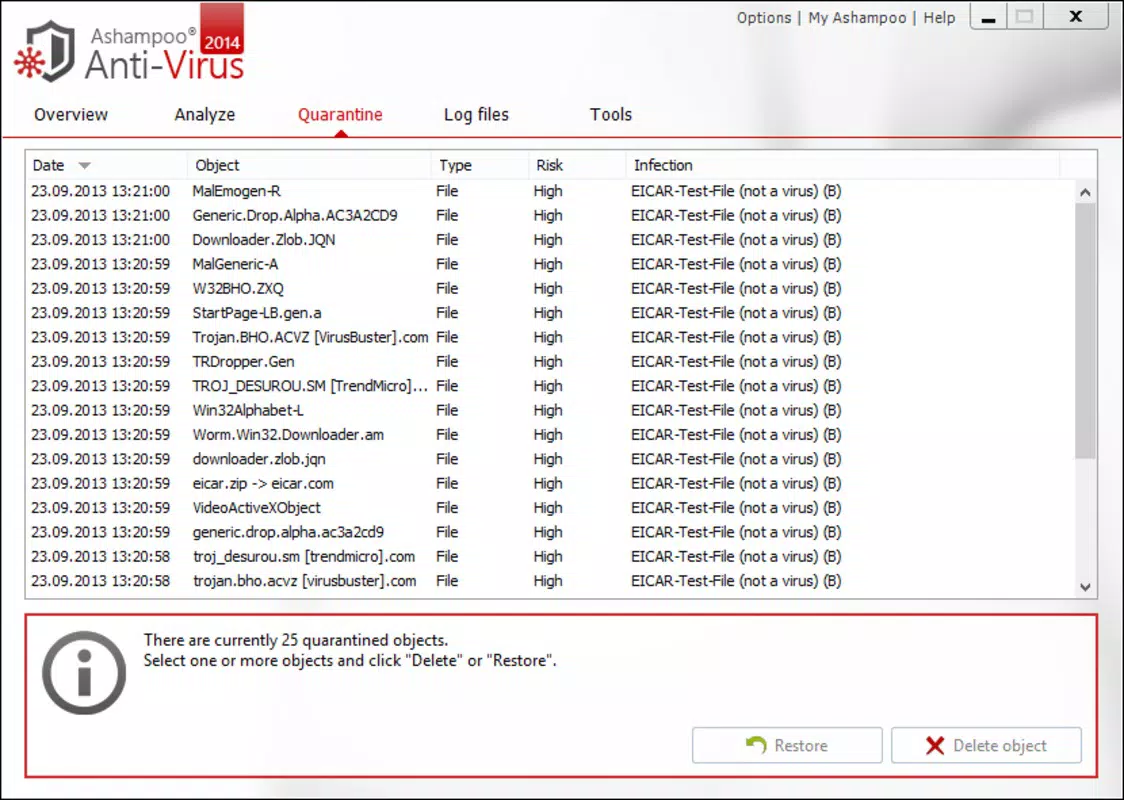
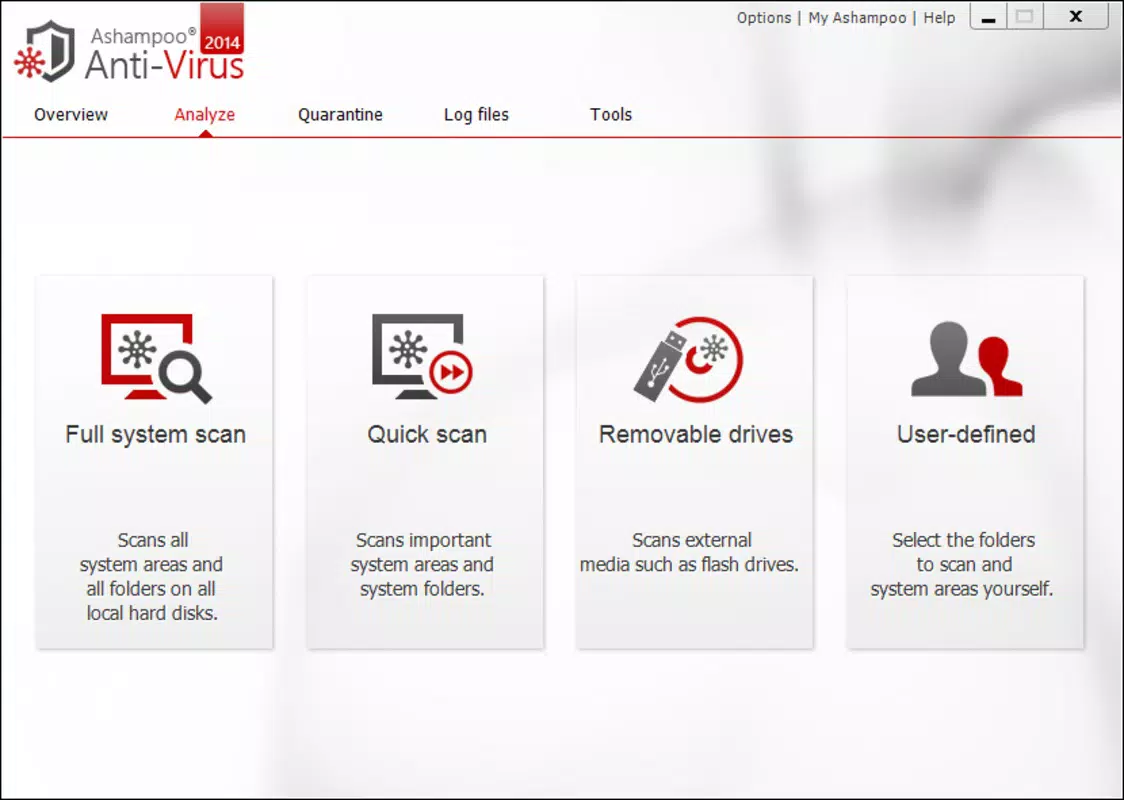
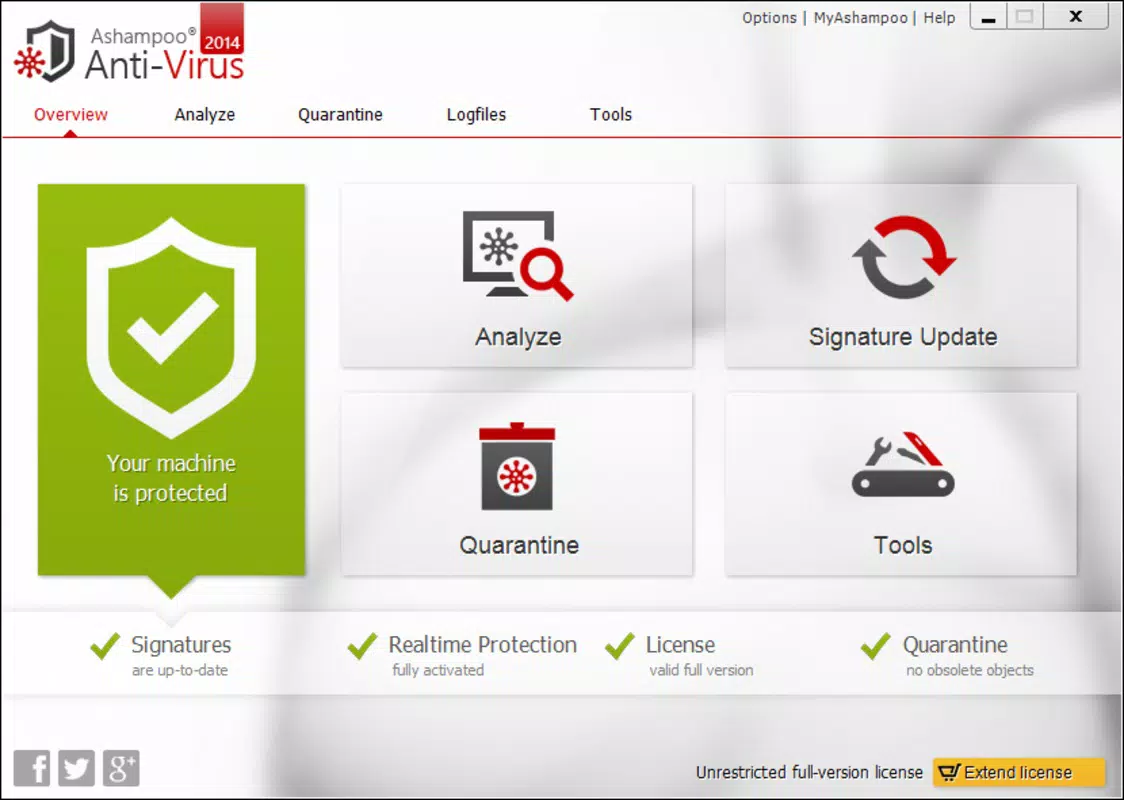
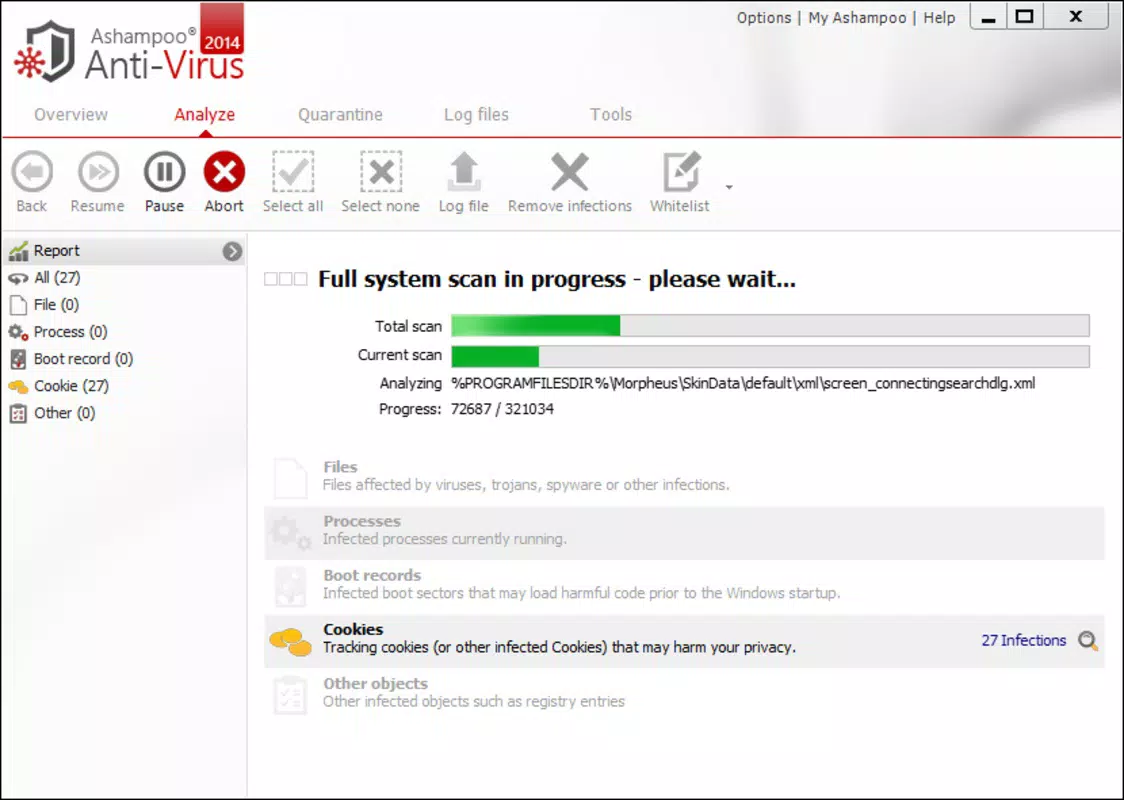
The user interface of Ashampoo Anti-Virus is designed with simplicity and clarity in mind. The main dashboard presents essential security status indicators, such as real-time protection status, recent scan results, and threat activity. Navigation is intuitive, with clearly labeled sections for scanning, settings, and protection history.
Visual design emphasizes minimalism and functionality, using a clean layout with consistent color coding to convey security status—green for safe, yellow for caution, and red for active threats. Menus are logically structured, allowing users to access advanced settings without confusion. The application responds promptly to user inputs, and interface elements remain responsive even during background scans.
Although the developer did not list formal performance metrics, the app is reported to maintain low CPU and memory usage during operation. It is optimized to run efficiently on mid-to-high-end Windows systems. Stability appears consistent across different device categories, with no widespread reports of crashes or freezes. The software integrates smoothly with the Windows environment, avoiding conflicts with other security tools.
Platform Compatibility & Technical Requirements
Ashampoo Anti-Virus is designed exclusively for the Windows operating system. It supports Windows 10 and later versions, though specific compatibility details were not fully disclosed by the developer. The application has a file size of 148.6 MB, which is relatively compact for a security suite, suggesting efficient packaging and minimal bloat.
The software version is 2.0.0.0, indicating a mature release with established functionality. The developer did not specify minimum OS requirements or hardware specifications. Users should ensure their system meets general Windows 10 or newer standards for optimal performance. No information was provided regarding support for older Windows versions or alternative platforms.
Pros and Cons
Pros
- Lightweight design with minimal impact on system performance
- Automated threat detection reduces user dependency
- Multi-motor scanning enhances detection accuracy
- Game Mode improves performance during gaming sessions
- Whitelist functionality reduces false positives
- Secure browsing alerts help prevent phishing and malware exposure
Cons
- Exclusive to Windows; no support for macOS or mobile platforms
- Price point of $29.99 may be high for casual users
- Developer did not provide detailed system requirements
- No mobile or cloud-based management options available
- Limited information on threat intelligence sources and update frequency
FAQ
Is Ashampoo Anti-Virus safe to install on my PC?
Yes, Ashampoo Anti-Virus is a legitimate security tool developed by a reputable software company. It is designed to protect your system from threats and does not contain malicious components.
Can I use Ashampoo Anti-Virus alongside other antivirus software?
It is generally not recommended to run multiple antivirus programs simultaneously, as they may conflict and degrade system performance. Ashampoo Anti-Virus is intended to serve as a standalone solution.
How often does Ashampoo Anti-Virus update its virus definitions?
The software includes automatic updates to ensure protection against the latest threats. While the exact update frequency was not disclosed, the system is designed to maintain up-to-date threat intelligence.
Is Ashampoo Anti-Virus available for Android or iOS?
No, the application is currently only available for Windows. There is no official version for mobile operating systems.
What should I do if Ashampoo Anti-Virus blocks a legitimate file?
You can use the Whitelist feature to add the file or folder to the trusted list, preventing future scans. This helps avoid disruptions while maintaining overall security.
Final Thoughts
Ashampoo Anti-Virus delivers a focused, efficient security experience tailored for Windows users who prioritize performance and reliability. Its automated detection, multi-motor scanning, and Game Mode make it a strong choice for both everyday users and power users, including gamers and professionals. While the price may be a consideration for some, the seamless integration and low system impact justify the investment for those seeking a no-frills, high-performance antivirus solution.
For individuals who value security without compromise, Ashampoo Anti-Virus offers a compelling value proposition. It stands out in a crowded market by minimizing user interference while maximizing protection. If you're looking for a trustworthy, well-optimized tool to defend your PC against evolving threats, this app is a solid option.
Download Ashampoo Anti-Virus now


